
Build your own animations.
HitLib is an LED animation library for VEX V5 robots, for PROS and VEXcode, and Pattern Studio is the desktop app that designs for it. This release lets you stack the looks into layers and build animations of your own.
Animations, built from layers
HitLib 1.5 plays custom animations: up to eight layers, each one a look you already know, blended onto the layers below it and moved by a sensor, a song, an oscillator or your own code. Pattern Studio 1.2 builds them in its new Animate tab. Take this one apart: switch layers off, change how they blend, and drag the alert driver.
A browser port of the layer blending in HitLib's own evaluator, slowed down like the other demos. Each layer is a look from the animation reference below.
Custom animations
strand.compose() plays a layer stack exported from Pattern Studio, and setDriverLevel() moves it from your code. Brightness, overlays, splice masks and profiles all keep working on top.
Slower than a pixel a tick
A bare speed still means pixels per tick. Speed::everyMs(100) moves one pixel every 100 ms instead, for any animation that moves.
Profiles on a whole group
One Sequencer now runs every strand in a group, each at its own phase, so the built-in endgames light every strip. Strands can also join a group after init().
Lighter on the ADI link
A strand whose frame hasn't changed sends nothing, calls from your control loop never wait for a frame to go out, and PROS sends each frame in one transfer.
The Animate tab
Stack layers, drag their spans and timing along the strip, draw frames pixel by pixel, and bind any of it to a sensor, the song or an oscillator. It opens on a gallery of starting points.
Open as Custom
Turns whatever preset a strand is playing into a one-layer custom animation, one Add Layer away from something the presets can't do.
Undo and redo
Every edit to every strand and custom animation can be undone, and a held-down spin box or a dragged color is one step, not fifty.
Same calls, PROS or VEXcode
HitLib builds in PROS 4.x, VEXcode V5, VEXcode Pro V5 and the VEX VS Code extension. The lines that drive your strips are the same everywhere, only the includes and entry points change. Pick your platform here and every code sample on this page follows it.
#include "main.h"
#include "hitlib/hitapi.hpp"

hitlib::LedStrand strand(1, 63);   // 3-wire port A, 63 LEDs
hitlib::LedGroup  group;

void initialize() {
    group.add(&strand);
    group.init();
    group.start();
}

void opcontrol() {
    group.rainbow(1);
}
#include "vex.h"
#include "hitlib/hitapi.h"
hitlib::LedStrand strand(1, 63); // 3-wire port A, 63 LEDs
hitlib::LedGroup group;
int main() {
vexcodeInit();
group.add(&strand);
group.init();
group.start();
group.rainbow(1);
while (true) vex::this_thread::sleep_for(100); // keep main() from exiting
}pros c fetch https://github.com/advisorylabs/hitlib/releases/download/1.5.0/hitlib@1.5.0.zip
pros c apply hitlib
Download hitlib-vexcode@1.5.0.zip from the
release
and copy its include/hitlib/ and src/hitlib/ folders
into your project. Don't also add the LED port in VEXcode's device menu.
Seven looks, one call each
Colors are 0xRRGGBB and speed is whole pixels per tick, or Speed::everyMs() for slower. Each strip below runs the call beside it, slowed down so you can watch.
strand.setColor(0x3AA8FF);
One solid color. off() blanks the strip.
strand.flow(0xFF00DD, 0x000000, 1);
Two colors scrolling, seamless by default so there's no hard edge at the wrap.
strand.rainbow(1);
One full color wheel across the strip, scrolling.
strand.pulse(0xFF0000, 5, 1, 0x330000, false, true);
A run of lit pixels over a background. It wraps, or with bounce turns at each end like a scanner.
strand.flash(0x00FF00, 100, 400);
On and off times are set separately: a quick blip with a long gap.
strand.twinkle({0xFFFFFF, 0xFFDD88}, 30);
Sparkles from your palette fade in, hold and fade out, staggered rather than in unison.
strand.bitscroll({{0xFF0000, 3}, {0x00FF00, 3}, {0x0000FF, 3}}, 1);
Your own color blocks as a marquee, tiled or sent across alone, scrolling or rocking back and forth.
One strip, several shows
Custom regions place zones anywhere on a strand by start and width. Each one runs its own animation on its own clock, and pixels outside every region keep the base look.
Five regions on a 48-LED strand. The dim purple between them is the base layer showing through.
Two animations, interleaved
Every strand also carries an independent overlay. A split mask cuts the strip into equal bins, hands every other bin to the overlay, and can swap them on a timer. Nothing blends: each pixel comes from one layer or the other.
strand.setColor(0xFFFFFF);
strand.overlayRainbow(1);
strand.spliceMask(3, false, true,      // 4 bins, alternating
400, 0x000000, true); // every 400 ms, overlayLights that read the robot
Hand a strip a reading and it tracks the value by itself. HitLib polls the reader once per tick on the LED task and maps your range onto the LEDs, with smoothing for coarse sensors and wrap-around for angles. Gauge regions put several meters on one strip, each colored from its own scale.
- 20 °Cfull power
- 45 °Cfirst cut coming
- 55 °C50% current
- 60 °C25% current
- 65 °C12.5% current
- 70 °Cshut down
Simulated readings.
In Pattern Studio, pick what a meter follows and the reader is written for you. Try one:
The most important look wins
A profile is a set of looks, each with a priority. Turn modes on and off from match code and the strip shows the highest-priority one that's active. A timed mode runs out on its own and hands the strip back to whatever is underneath.
On the strip: Red · priority 20
- 1.5 s yellow flash
- 8.5 s white
- 2 s red pulse
group.attachProfile(&hitlib::profiles::classic);
group.activateMode(1);                // Idle
group.activateModeTimed(4, 1500);     // Scoring, for 1.5 s, then back to Idle
Three in the box
Classic, Modern and Showy profiles ship with HitLib, each ready for idle, alliance colors, scoring and endgame.
Loops on its own
Classic's endgame is a Sequencer: a small table of timed phases that repeats for as long as that mode is winning, on every strand of a group.
Strips that keep time with a song
A V5 brain can't hear, so Pattern Studio does the listening. Load a song, pick the part each strand follows, and scrub through it with the audio playing. The loudness is baked into a table inside your header, and the brain plays it back on its own clock.
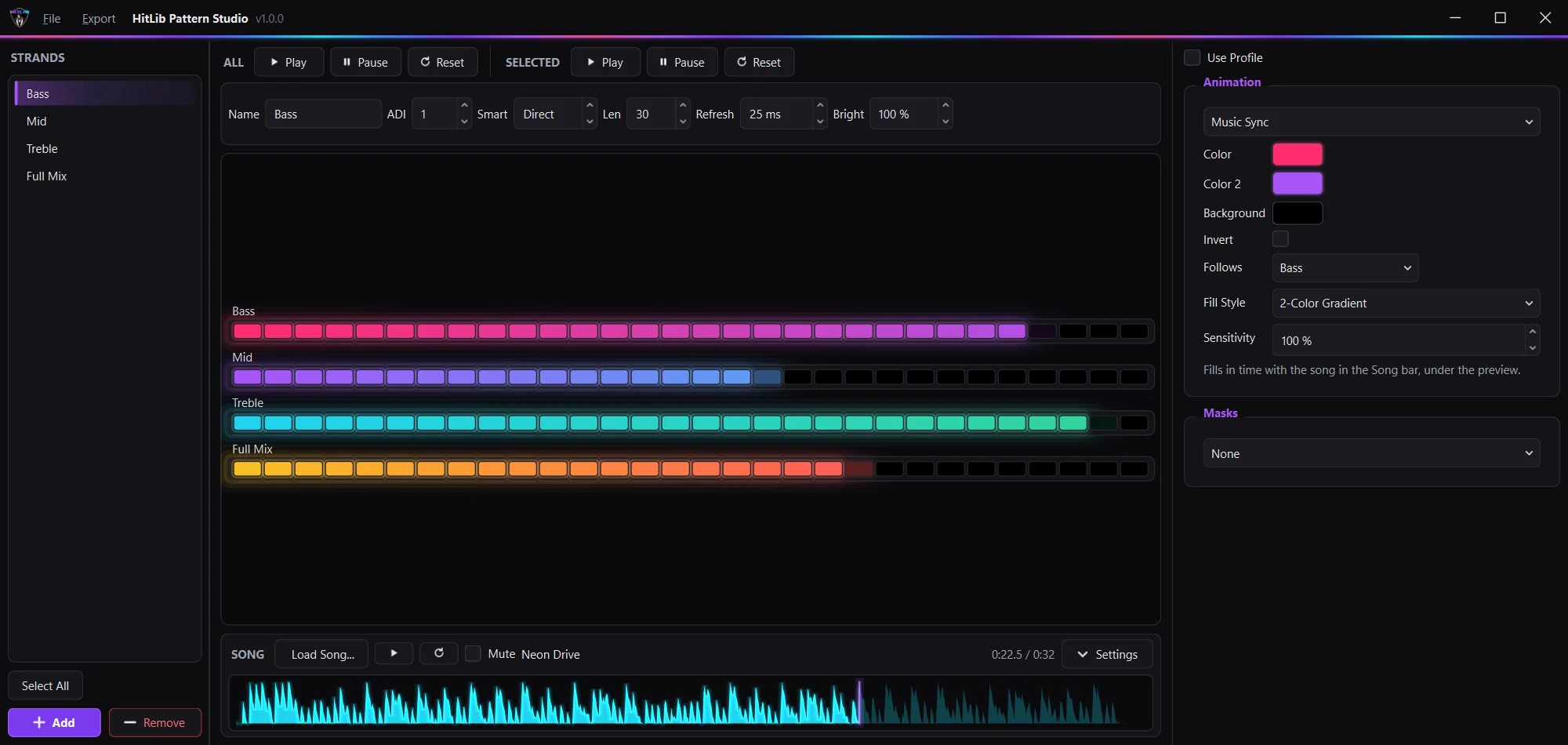
- LoadMP3, M4A, FLAC, OGG, WAV or MIDI
- Pick a bandBass, Mid, Treble or Full mix
- BakeAbout 7 KB of flash per band for a three-minute song
- Play
musicSync()on the brain.setSensitivity()retunes it without a re-export.
Start the mode when the music starts. The robot plays the lights, not the audio.
Stays out of your control loop
Its own task
Start a group once and a background task animates every strand in it. Calls are thread-safe from any task, take effect on the next tick, and never wait for a frame to go out.
One call, every strip
A group call reaches all of its strands, and group[i] still gets you one. Strips take turns on the ADI link, and one whose frame hasn't changed skips its turn, so static colors cost nothing.
Brightness that leaves the look alone
setBrightness() scales 0 to 100% as each frame is written, so the animation underneath never changes.
Up to 64 LEDs a strand
Any WS2812B-compatible strip, on one of the brain's 3-wire ports or an ADI expander.
Design against a live preview, not the robot
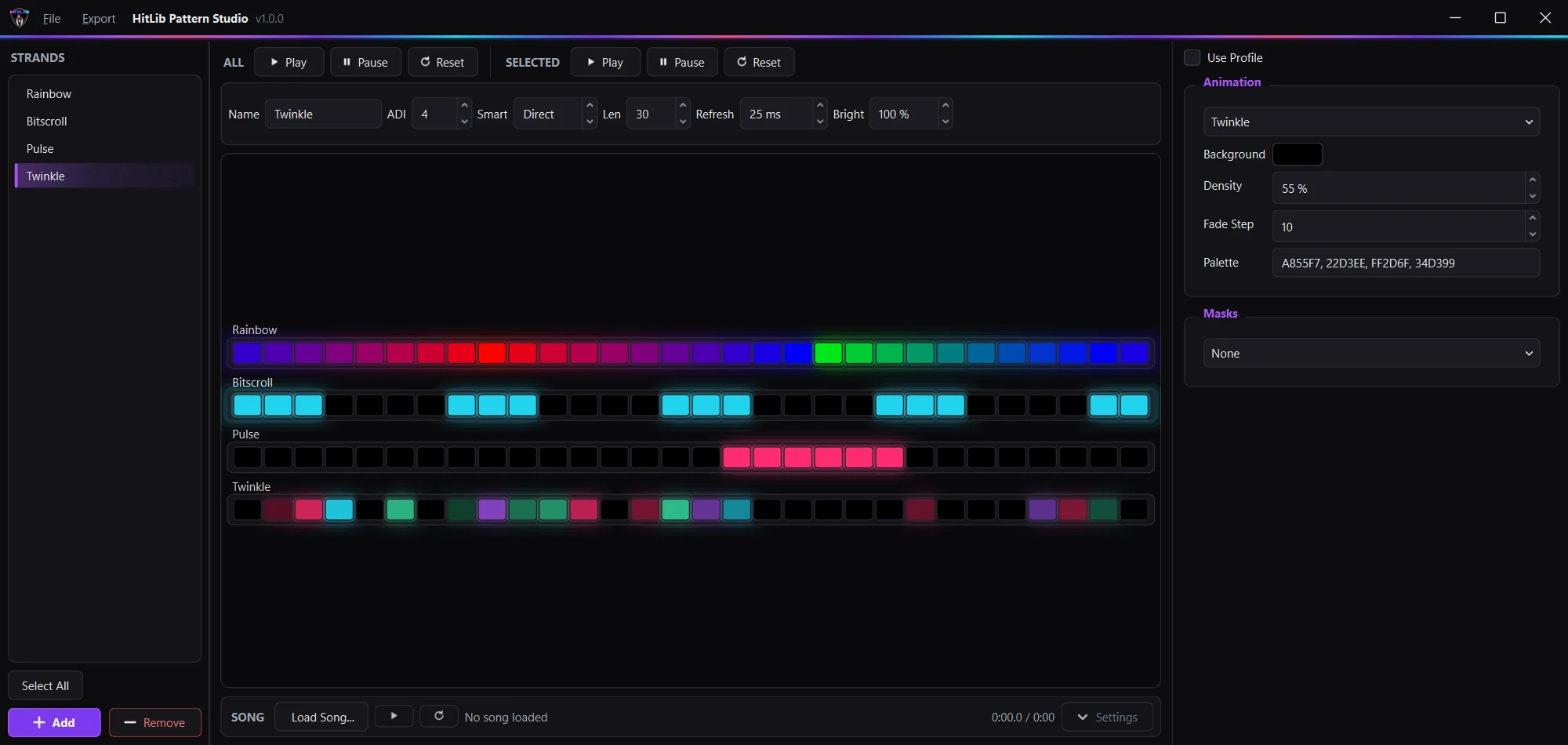
Pattern Studio draws every strand as a row of glowing LEDs and animates it with a Python port of HitLib's own engine. Get the look right on a laptop, then send it to your robot as one header.
-
Point it at your project
Drag the project folder onto the window, or use Export > Choose Robot Project...
-
Deploy
The whole design lands in
include/as one header: ports, lengths, brightness, profiles, custom animations and a named constant for every mode. -
Paste two lines, once
#include "hitlib_studio.hpp"

namespace myRobot = hitlib::profiles::myRobot;

void initialize() {
    hitlib::studio::begin();
}

void opcontrol() {
    myRobot::strand.activateModeTimed(myRobot::mode::endgame, 30000);
}
#include "hitlib_studio.h" namespace myRobot = hitlib::profiles::myRobot; void pre_auton() { hitlib::studio::begin(); } void usercontrol() { myRobot::strand.activateModeTimed(myRobot::mode::endgame, 30000); }After that, changing a port or adding a mode is Deploy, then rebuild.
main.cppstays as it is.
Edit strands as a group
Select several strands and change a field once. Only the fields you touch are copied, so each strand keeps its own look.
Divide into gauges
Set one region as a gauge, press Divide, and get up to 32 equal segments, with an optional dark pixel between them.
Caught before compile
Duplicate mode names, two strands on one port and songs too long for a header are flagged in the app, not by your compiler.
One file for the team
A .hlprofile design holds every strand, every custom animation and the song's analysis, so a teammate opens exactly what you built.
Windows: HitLibPatternStudio-1.2.0-windows.zip on the
Releases page.
macOS 13 or later, same page: -macos-apple-silicon.zip for
an M1 or newer, -macos-intel.zip for an Intel Mac. The
Apple menu > About This Mac says which you have.
On Linux, run it from source with Python 3.10 or later.
First launch on a Mac
The Mac build isn't signed with an Apple developer certificate, so macOS stops the first launch. It only has to be allowed once.
- Unzip it and drag HitLib Pattern Studio into Applications.
- Double-click it. macOS won't open it. Click Done (Cancel on macOS 13 or 14), not Move to Trash.
- Open System Settings > Privacy & Security, scroll to Security, and click Open Anyway next to HitLib Pattern Studio.
- When macOS asks again, click Open Anyway (Open on macOS 13 or 14) and enter your Mac password. On a school-managed Mac that takes an administrator.
It opens on a normal double-click from then on. If step 3 shows no button, the prompt timed out - do step 2 again and go straight to it.
See it in action!
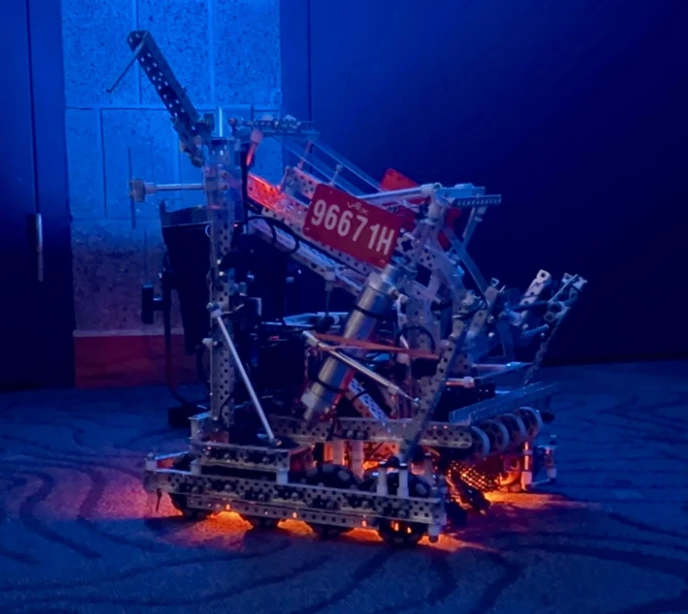
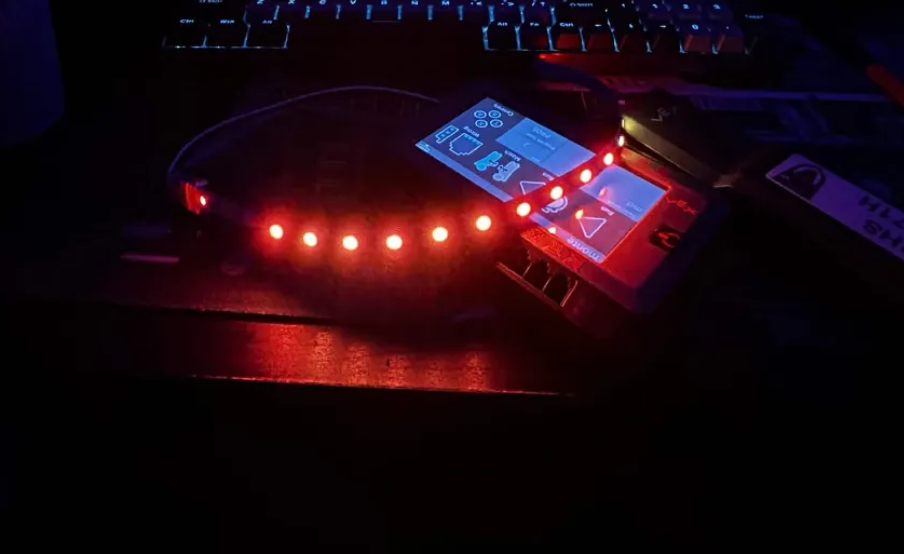
96671H's Qualifier 2, a 130-0 win, with HitLib running the robot's lights on the field.
Get the strips
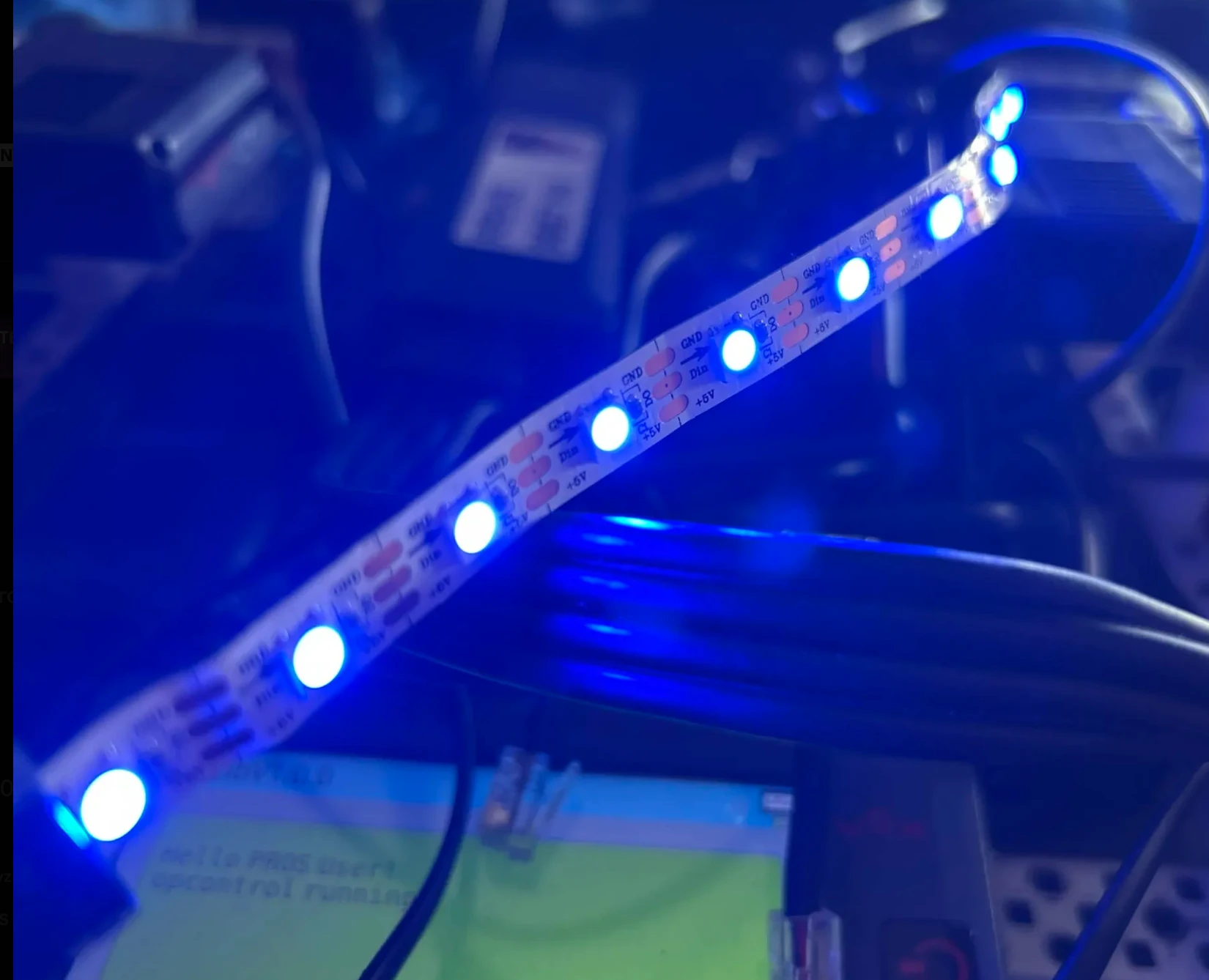
WS2812B strip kits from 96671H, built to plug straight into a VEX Brain. The kits differ only in how many strips you get: Single is one strip, Regular is two, and Extended is four.
Every strip carries the same 20 LEDs, so the density you pick for it sets how long it is. At 30 LEDs/m a strip is 26.2 inches, at 60 LEDs/m it is 13.1 inches, and at 74 LEDs/m it is 10.6 inches. You choose that per strip, so a multi-strip kit can mix lengths.
- One 3-wire port per strip
- Mix densities in one kit
- Pay by card at checkout, or choose "Contact me later" to arrange Zelle or Venmo.
- Shipping is a live carrier rate for your address, added at checkout.
- Care, use and installation guides are in
#resourceson Discord. Opt into#opt-in-notificationsfor build and shipping updates.
Found a bug or have an idea? File it as a GitHub issue, or drop feature suggestions in #suggestions on Discord.
HitLib and Pattern Studio are built by 96671H: Hitmen based out of Grand Forks, North Dakota. HitLib and Pattern Studio are open source under the Mozilla Public License 2.0. HitLib and Pattern Studio are endorsed by the Crashtest alliance.